
Download FaxTools eXPert – Free Fax Software for Windows (Secure, Easy, Reliable)
Overview: The Ultimate Fax Solution for Legacy Windows Systems
FaxTools eXPert stands out as a dependable faxing tool designed specifically for older Windows environments. Despite its age, this software continues to serve users who rely on fax communication in business, legal, and medical sectors where legacy systems are still in use. With a release date of October 5, 2005, and a stable version 8.01, FaxTools eXPert has maintained its relevance through consistent functionality and minimal system requirements. The software is available as a free trial, making it accessible for users who need a no-cost solution for sending and receiving faxes without upgrading their hardware or software infrastructure.
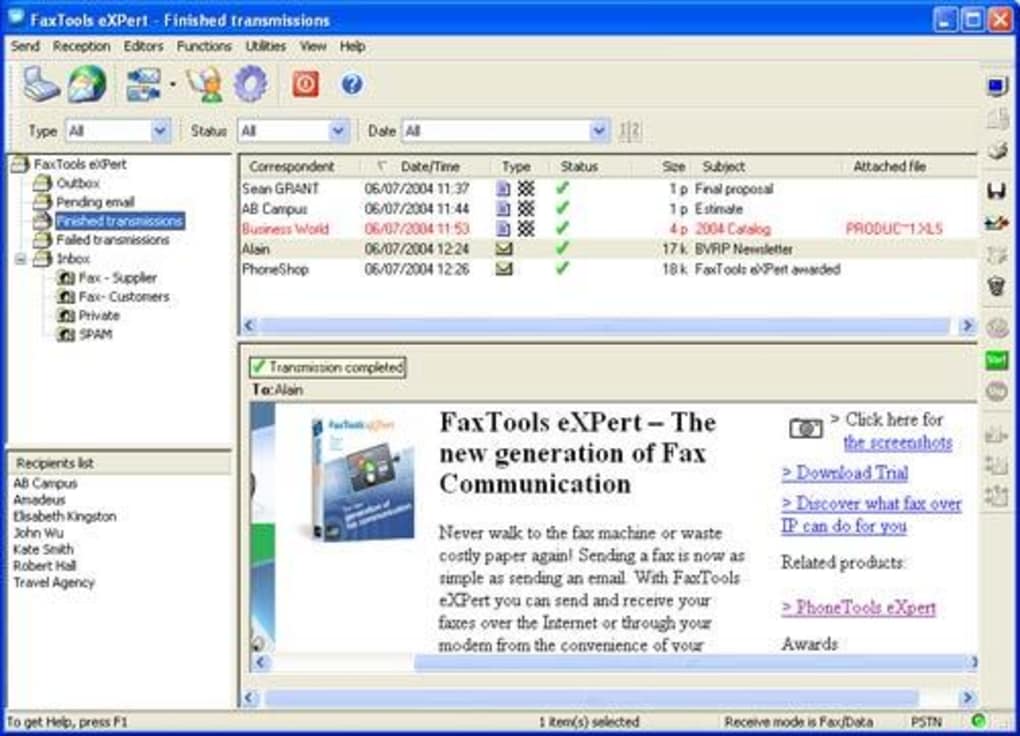
One of the most compelling aspects of FaxTools eXPert is its compatibility with Windows 98 and earlier operating systems—platforms that many modern tools no longer support. This makes it a rare gem for organizations still running older systems due to software dependencies, hardware limitations, or regulatory compliance needs. The program’s lightweight nature ensures it doesn’t burden older machines, consuming less storage than the average application in the Business software category. Its interface is straightforward, prioritizing usability over flashy design, which is ideal for users who value efficiency over aesthetics.
Although the software hasn’t seen a recent update, its stability and reliability have been proven over nearly two decades. For users who need a simple, secure way to send faxes via a modem or fax modem, FaxTools eXPert delivers consistent results. It’s particularly useful in industries like healthcare and legal services, where faxing remains a standard method for transmitting sensitive documents. With the ability to integrate with existing fax hardware, this tool bridges the gap between modern document workflows and legacy communication systems.
Key Features & Functional Benefits of FaxTools eXPert
- Send and receive faxes via a standard fax modem or hardware fax device
- Supports Windows 98 and earlier versions, ideal for legacy systems
- Lightweight installation – minimal disk space usage
- Simple, intuitive interface designed for quick learning and daily use
- Secure fax transmission with built-in encryption options (for supported hardware)
- Automated fax scheduling and batch processing capabilities
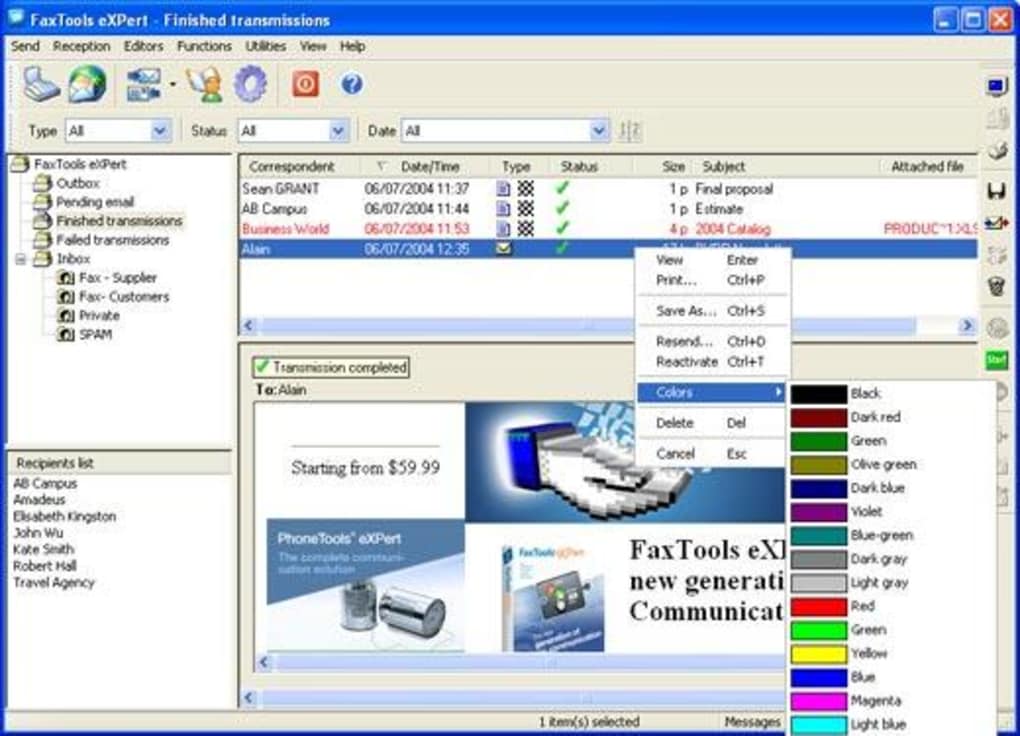
- Document management with easy file attachment and preview
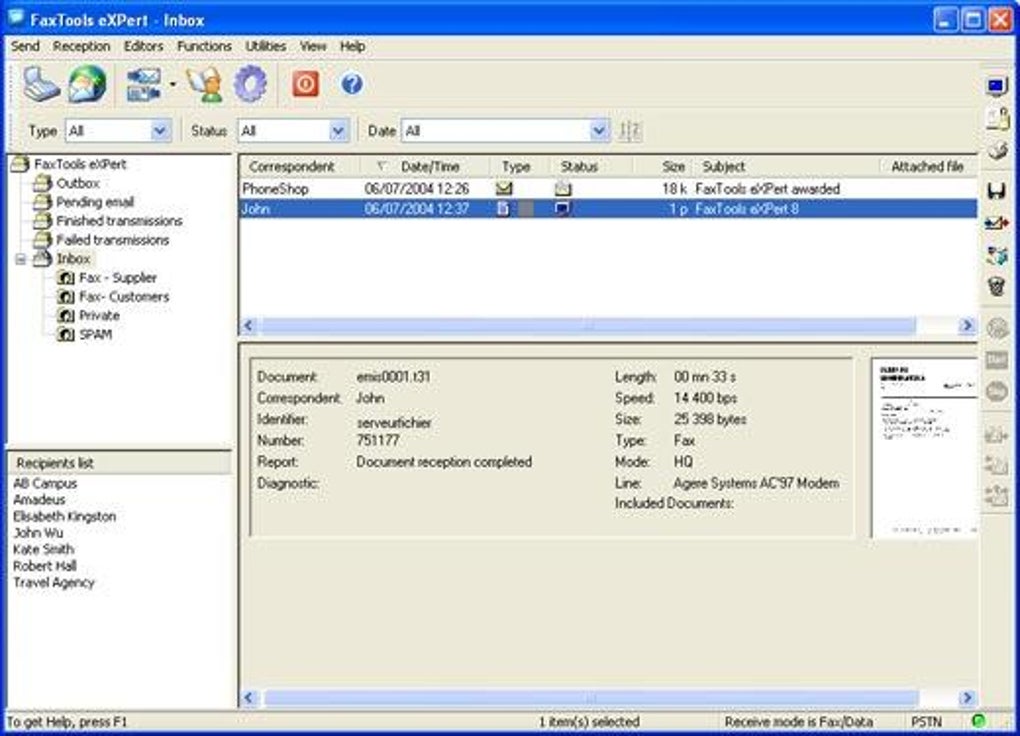
- Comprehensive logging and tracking for audit trails
- Compatibility with common document formats: PDF, DOC, TXT, and image files
- Integration with existing fax hardware without additional drivers
One of the standout features of FaxTools eXPert is its ability to work seamlessly with existing fax modems and hardware. This eliminates the need for costly upgrades or new equipment, making it a cost-effective solution for small businesses and departments still relying on older infrastructure. The software supports a wide range of document types, allowing users to send contracts, medical records, legal forms, and invoices with ease. The document preview function ensures accuracy before transmission, reducing errors and re-sends.
For organizations that require compliance with data protection standards, the logging and tracking features provide a detailed audit trail of every fax sent or received. This is especially valuable in regulated industries where documentation of communication is mandatory. The automated scheduling feature allows users to send faxes at specific times, which is useful for time-sensitive communications like payroll processing or appointment confirmations.
Despite its age, FaxTools eXPert remains a secure tool for fax transmission. It leverages the underlying operating system’s security protocols and supports encryption when used with compatible hardware. The software also includes a built-in fax cover sheet generator, enabling users to include important metadata such as sender name, recipient, and subject line—enhancing professionalism and clarity in business correspondence.
Installation, Usage, and Compatibility Guide
Installing FaxTools eXPert is a straightforward process, especially for users familiar with older Windows systems. Begin by downloading the trial version from a trusted software repository. The installer is compact and runs smoothly on Windows 98, ME, 2000, and XP—though it’s optimized for Windows 98. Once downloaded, double-click the executable file and follow the on-screen prompts. The installation typically takes less than a minute and doesn’t require administrative privileges on most systems.
After installation, launch the software and configure your fax modem settings. The program automatically detects connected fax hardware, but manual configuration is available for advanced users. You’ll need to set your fax number, choose a default cover sheet, and define document storage folders. The setup wizard walks you through these steps, ensuring a smooth onboarding experience.
Using FaxTools eXPert to send a fax is simple: open the document you wish to send, click “Send Fax,” enter the recipient’s number, and hit “Send.” The software handles the rest, including error checking and retry logic if the connection fails. For receiving faxes, the software can be set to automatically save incoming faxes to a designated folder, with options to convert them to PDF or print them directly.
Compatibility remains one of the software’s strongest assets. It works with a wide range of fax modems from brands like US Robotics, Zoom, and Hayes. However, users should ensure their modem supports standard T.30 fax protocols. While it doesn’t support modern platforms like Windows 11, Mac, Android, or iOS, its niche focus on legacy Windows systems makes it a reliable choice for specific use cases. For users needing cross-platform support, alternative solutions may be necessary, but for those on older Windows machines, FaxTools eXPert delivers unmatched compatibility.
Pros, Cons, and Frequently Asked Questions
Pros of Using FaxTools eXPert
- Free trial version available – no cost to test functionality
- Extremely lightweight – low system resource usage
- Perfect for legacy Windows 98 and earlier systems
- Secure fax transmission with audit logging
- Simple interface – easy for non-technical users
- Supports batch faxing and scheduling
- Works with existing fax hardware – no new equipment needed
Cons to Consider
- Not compatible with modern operating systems (Windows 10/11, Mac, iOS, Android)
- No recent updates since 2005 – potential security risks over time
- Limited customer support and documentation
- Outdated design – lacks modern UI features
- Dependent on physical fax modem hardware
Frequently Asked Questions (FAQ)
- Is FaxTools eXPert still safe to use in 2024?
While the software hasn’t been updated since 2005, it operates on legacy Windows systems with known security models. As long as your system is isolated from the internet and used in a controlled environment, the risk is minimal. However, avoid transmitting highly sensitive data over unsecured networks.
- Can I use FaxTools eXPert on Windows 10 or Windows 11?
No, FaxTools eXPert is not compatible with Windows 10 or Windows 11. It requires Windows 98 or earlier, which are no longer supported by Microsoft. Running it on modern systems may result in crashes or errors.
- What type of fax modem do I need?
You need a standard T.30-compliant fax modem. Most external and internal modems from the late 1990s and early 2000s are compatible. Ensure your modem supports software-based faxing.
- Does FaxTools eXPert support PDF files?
Yes, FaxTools eXPert supports PDF, DOC, TXT, and common image formats like JPEG and BMP. You can preview documents before sending and convert them to fax-ready formats automatically.
- Can I schedule faxes to send automatically?
Yes, the software includes a scheduling feature that allows you to set specific times for fax transmission. This is ideal for time-sensitive documents like invoices or appointment reminders.
Final Verdict: A Niche but Reliable Tool for Legacy Environments
Despite its age, FaxTools eXPert remains a valuable tool for organizations still operating on Windows 98 or earlier systems. Its lightweight design, secure fax transmission, and seamless hardware integration make it a reliable choice for businesses that depend on faxing for compliance and communication. While it lacks modern features and support for current operating systems, its stability and simplicity are unmatched in its category.
If you’re using an older Windows machine and need a no-cost way to send and receive faxes, FaxTools eXPert is worth downloading. It’s ideal for legal offices, medical clinics, and small businesses that haven’t yet migrated to digital alternatives. However, if you’re on a modern system, consider upgrading to a cloud-based fax service like eFax or HelloFax for better security and cross-platform access.
Download FaxTools eXPert today and experience secure, hassle-free faxing on legacy Windows systems—free, fast, and built for reliability.







